Richard Eastman Travel & Tourism Photographer Cheltenham Gloucestershire


GloucestershireSITTP Member

Wednesday 17th December 2025  

SITTP
 

sittp member Richard Eastman

Gloucestershire

Richard Eastman
Richard Eastman Photography
39 Winermere Road
Cheltenham
Gloucestershire
GL51 3PT Map link for Richard Eastman Photography
England

tel:- +44 7980 364 840
web address:-


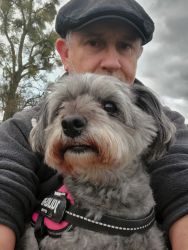
Hi my name is Richard, I am an enthusiastic photographer, I started my journey around 1990 with a Pentax K1000 with various lenses. I finally ended up doing 35mm slide photography only and perhaps one day I will digitise them. I have always had a main interest in Prehistoric Monuments, Landscapes and Wildlife.

I eventually went over to digital in the early 2010's starting with a Nikon D40 then onto the Nikon D90 and finally the Nikon D7100. I now have gone over to mirrorless with the Sony A6000 and the Sony A7MK2 and my trusted Mobile phone as sometimes you haven't always got the camera with me.

I hope you enjoy looking through my Portfolio and really appreciate all your comments and votes and UA's. I also like the inspiration I get from viewing all your photos.

Richard Eastman


Richard is also a member of  SINWP

More Photographers in England


SITTP Sponsor Banner Control Panel 1.7

SITTP Sponsor Banner Control Panel 1.7

Error:


Script Error

Error:

Can't verify file locking - aborting.

Make sure the following has been observed:

Unix Servers:
  • sponsorban.cgi is writable by this script
  • If a file locking problem, make sure the directory this script resides in is writable. Note, the directory does not have to be writable for the script to write to files, only for it to create files. File creation is required for proper file locking.
Windows NT systems:
  • sponsorban.cgi must be writable and accessible by the script
  • banner.cgi must be able to write to files and create files
  • On some NT systems, the variable near the top of banner.cgi must be set. It is currently set as follows:
      $main::sponsorban_path = "sponsorban";
    Note that under most systems, "." is fine. This specifies that it is set to the current directory. However, some NT systems require the full server path. Contact your system administrator to find the full path to your cgi-bin directory.
If you still have trouble, contact Banner@linc2u.com and I will attempt to help.

Software

Main Menu | Add Banners. Log Out
2000 Software

House Footer
Sponsor Banner root pages - ACTIVE

Content-type: text/html PermaJet - The Inkjet Paper & Canvas Specialists Expires: Mon, 26 Jul 2001 05:00:00 GMT Pragma: no-cache Cache-Control: no-cache, must-revalidate Content-type: text/html SITTP Sponsor Banner Control Panel 1.7

SITTP Sponsor Banner Control Panel 1.7

Error:


Script Error

Error:

Can't verify file locking - aborting.

Make sure the following has been observed:

Unix Servers:
  • sponsorban.cgi is writable by this script
  • If a file locking problem, make sure the directory this script resides in is writable. Note, the directory does not have to be writable for the script to write to files, only for it to create files. File creation is required for proper file locking.
Windows NT systems:
  • sponsorban.cgi must be writable and accessible by the script
  • banner.cgi must be able to write to files and create files
  • On some NT systems, the variable near the top of banner.cgi must be set. It is currently set as follows:
      $main::sponsorban_path = "sponsorban";
    Note that under most systems, "." is fine. This specifies that it is set to the current directory. However, some NT systems require the full server path. Contact your system administrator to find the full path to your cgi-bin directory.
If you still have trouble, contact Banner@linc2u.com and I will attempt to help.

Software

Main Menu | Add Banners. Log Out
2000 Software

House Footer
Sponsor Banner root pages - ACTIVE

Expires: Mon, 26 Jul 2001 05:00:00 GMT Pragma: no-cache Cache-Control: no-cache, must-revalidate Content-type: text/html SITTP Sponsor Banner Control Panel 1.7

SITTP Sponsor Banner Control Panel 1.7

Error:


Script Error

Error:

Can't verify lock file for cleanup - aborting.

Make sure the following has been observed:

Unix Servers:
  • sponsorban.cgi is writable by this script
  • If a file locking problem, make sure the directory this script resides in is writable. Note, the directory does not have to be writable for the script to write to files, only for it to create files. File creation is required for proper file locking.
Windows NT systems:
  • sponsorban.cgi must be writable and accessible by the script
  • banner.cgi must be able to write to files and create files
  • On some NT systems, the variable near the top of banner.cgi must be set. It is currently set as follows:
      $main::sponsorban_path = "sponsorban";
    Note that under most systems, "." is fine. This specifies that it is set to the current directory. However, some NT systems require the full server path. Contact your system administrator to find the full path to your cgi-bin directory.
If you still have trouble, contact Banner@linc2u.com and I will attempt to help.

Software

Main Menu | Add Banners. Log Out
2000 Software

House Footer
Sponsor Banner root pages - ACTIVE