
Street Photography Competition

🌍 Street Photography Competition Results Announced
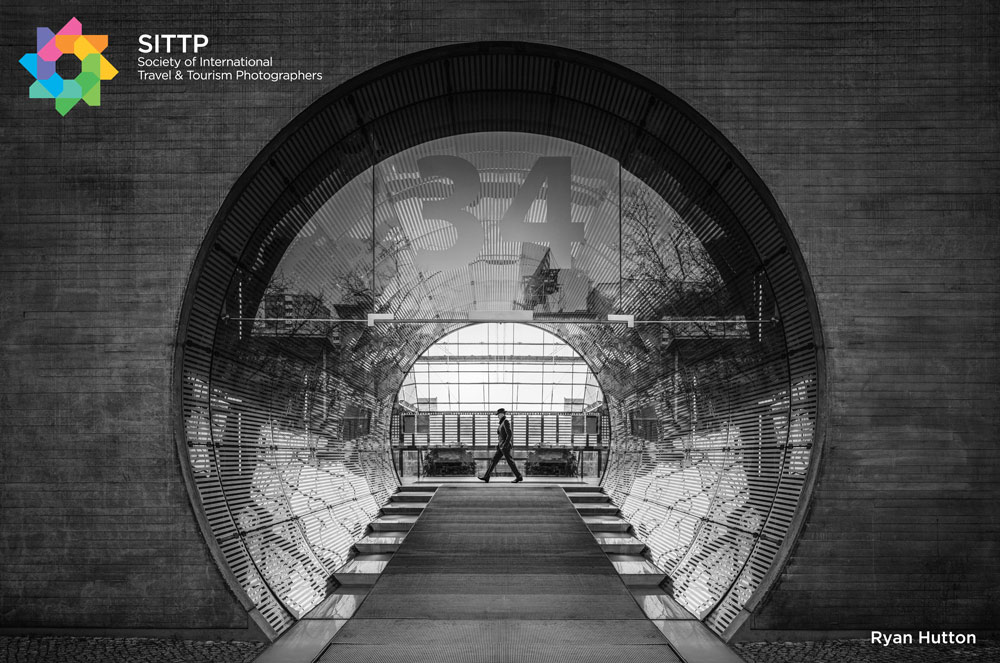
Showcase your creativity and celebrate the art of street photography by entering STREET Photography Competition an exciting international photography competition dedicated to capturing life in its rawest and most authentic moments.

From striking candid portraits to powerful urban scenes, This is your opportunity to share your vision, gain recognition, and have your work seen by leading judges and photographers from around the world.

Whether you’re an experienced street photographer or just discovering your passion for capturing everyday moments, this competition is the perfect platform to challenge yourself and inspire others.

VIEW ALL ENTRIES HERE

Our judges will be looking for excellence of technique and the strength of the narrative.

Improve your chances of success by considering the following:
Presentation is everything - add borders - crop effectively (your images do not need to be the shape that comes out of your camera) - avoid distractions in the image - spend some time processing the images.. 

🌦️ Tip: Weather can add drama and atmosphere - use it creatively!
✨ Presentation matters: Add borders or subtle edits to elevate your images.

🚀 Ready to showcase your talent?

📸 £1 per image - Enter as many as you like!

  • Enter as many times as you like
  • The work must be that of the entrant
  • No entry will be eligible that has been made under the supervision of an instructor or as a class assignment
  • No distinguishing marks on the images
  • Images submitted must be no larger than 2000 pixels wide
  • All entrants must be able to supply a high resolution image (300dpi)
  • Copyright of the images remains with the photographer - The Societies recognises that the entrant, the author of the photograph, retains complete and full ownership of the copyright in each submission
  • Entries can be used for publicity purposes only by The Societies and may be printed in our magazine Professional Imagemaker, also promotional purposes.
  • Competition closed
  • The judge’s decision is final and no correspondence will be entered into.

VIEW ALL ENTRIES HERE

Enter as many as you like £1 per entry

Prizes

  • Overall Winner - One year Free Membership of any of our Societies - which includes: entry to all of our membership only competitions - unrestricted access to our members' photography forum – listing on our directory - image mentoring - qualifications and distinctions through submission of images - the winner will also receive our digital online magazine Professional Imagemaker for 12 months.
  • 2nd and 3rd place - 6 months Free Membership of any of our Societies - which includes: entry to all of our membership only competitions - unrestricted access to our members' photography forum – listing on our directory - image mentoring - qualifications and distinctions through submission of images - the winner will also receive our digital online magazine Professional Imagemaker for 6 months.

No cash alternatives will be given

We are listed on Photo Contest Deadlines – Photography Competitions Directory

View all entries Page 1 - Page 2 - Page 3 - Page 4 - Page 5 - Page 6 - Page 7 - Page 8 - Page 9 - Page 10 - Page 11 - Page 12 - Page 13 -


SITTP Sponsor Banner Control Panel 1.7

SITTP Sponsor Banner Control Panel 1.7

Error:


Script Error

Error:

Can't verify file locking - aborting.

Make sure the following has been observed:

Unix Servers:
  • sponsorban.cgi is writable by this script
  • If a file locking problem, make sure the directory this script resides in is writable. Note, the directory does not have to be writable for the script to write to files, only for it to create files. File creation is required for proper file locking.
Windows NT systems:
  • sponsorban.cgi must be writable and accessible by the script
  • banner.cgi must be able to write to files and create files
  • On some NT systems, the variable near the top of banner.cgi must be set. It is currently set as follows:
      $main::sponsorban_path = "sponsorban";
    Note that under most systems, "." is fine. This specifies that it is set to the current directory. However, some NT systems require the full server path. Contact your system administrator to find the full path to your cgi-bin directory.
If you still have trouble, contact Banner@linc2u.com and I will attempt to help.

Software

Main Menu | Add Banners. Log Out
2000 Software

House Footer
Sponsor Banner root pages - ACTIVE

Content-type: text/html Innovative photo editing software. Apply complex effects to your photos in seconds! Expires: Mon, 26 Jul 2001 05:00:00 GMT Pragma: no-cache Cache-Control: no-cache, must-revalidate Content-type: text/html SITTP Sponsor Banner Control Panel 1.7

SITTP Sponsor Banner Control Panel 1.7

Error:


Script Error

Error:

Can't verify file locking - aborting.

Make sure the following has been observed:

Unix Servers:
  • sponsorban.cgi is writable by this script
  • If a file locking problem, make sure the directory this script resides in is writable. Note, the directory does not have to be writable for the script to write to files, only for it to create files. File creation is required for proper file locking.
Windows NT systems:
  • sponsorban.cgi must be writable and accessible by the script
  • banner.cgi must be able to write to files and create files
  • On some NT systems, the variable near the top of banner.cgi must be set. It is currently set as follows:
      $main::sponsorban_path = "sponsorban";
    Note that under most systems, "." is fine. This specifies that it is set to the current directory. However, some NT systems require the full server path. Contact your system administrator to find the full path to your cgi-bin directory.
If you still have trouble, contact Banner@linc2u.com and I will attempt to help.

Software

Main Menu | Add Banners. Log Out
2000 Software

House Footer
Sponsor Banner root pages - ACTIVE

Expires: Mon, 26 Jul 2001 05:00:00 GMT Pragma: no-cache Cache-Control: no-cache, must-revalidate Content-type: text/html SITTP Sponsor Banner Control Panel 1.7

SITTP Sponsor Banner Control Panel 1.7

Error:


Script Error

Error:

Can't clean lock file - aborting.

Make sure the following has been observed:

Unix Servers:
  • sponsorban.cgi is writable by this script
  • If a file locking problem, make sure the directory this script resides in is writable. Note, the directory does not have to be writable for the script to write to files, only for it to create files. File creation is required for proper file locking.
Windows NT systems:
  • sponsorban.cgi must be writable and accessible by the script
  • banner.cgi must be able to write to files and create files
  • On some NT systems, the variable near the top of banner.cgi must be set. It is currently set as follows:
      $main::sponsorban_path = "sponsorban";
    Note that under most systems, "." is fine. This specifies that it is set to the current directory. However, some NT systems require the full server path. Contact your system administrator to find the full path to your cgi-bin directory.
If you still have trouble, contact Banner@linc2u.com and I will attempt to help.

Software

Main Menu | Add Banners. Log Out
2000 Software

House Footer
Sponsor Banner root pages - ACTIVE

Expires: Mon, 26 Jul 2001 05:00:00 GMT Pragma: no-cache Cache-Control: no-cache, must-revalidate Content-type: text/html SITTP Sponsor Banner Control Panel 1.7

SITTP Sponsor Banner Control Panel 1.7

Error:


Script Error

Error:

Can't verify lock file for cleanup - aborting.

Make sure the following has been observed:

Unix Servers:
  • sponsorban.cgi is writable by this script
  • If a file locking problem, make sure the directory this script resides in is writable. Note, the directory does not have to be writable for the script to write to files, only for it to create files. File creation is required for proper file locking.
Windows NT systems:
  • sponsorban.cgi must be writable and accessible by the script
  • banner.cgi must be able to write to files and create files
  • On some NT systems, the variable near the top of banner.cgi must be set. It is currently set as follows:
      $main::sponsorban_path = "sponsorban";
    Note that under most systems, "." is fine. This specifies that it is set to the current directory. However, some NT systems require the full server path. Contact your system administrator to find the full path to your cgi-bin directory.
If you still have trouble, contact Banner@linc2u.com and I will attempt to help.

Software

Main Menu | Add Banners. Log Out
2000 Software

House Footer
Sponsor Banner root pages - ACTIVE


Corporate Partners

Aaduki Photographic Insurance Elinchrom Studio & Portable Lighting MPB